Mateslots Mobile Australia: Browser Play, PWA Install & Device Experience
 Available in AU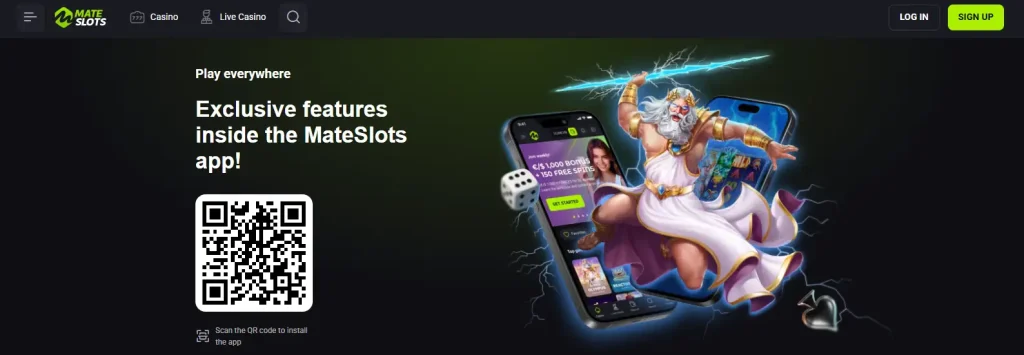
Mobile access in Australia
Mateslots supports mobile-browser play and an installable PWA-style experience. The current homepage explicitly describes the software as a browser-based PWA, while the dedicated install page presents an on-site Install button for iPhone and iPad. That is different from independently establishing a native Apple App Store or Google Play listing. For an Australian user, the practical choice is therefore between opening Mateslots in a mobile browser and using the site’s install flow, not assuming there is a conventional store app.
The mobile experience still connects to the same core account, payments and game environment. That means device choice does not remove account checks, provider restrictions or cashier rules that apply elsewhere on the site.
Table of Contents
- PWA does not mean the same thing as an App Store or Google Play app
- Two ways to use Mateslots from an Australian phone
- A mobile casino test should cover more than how fast the home page opens
- Mobile is already a normal payment channel for Australian consumers
- Registration, KYC and account rules do not disappear on mobile
- What the mobile pages establish
- What should not be assumed from the word "app"
- What to inspect before making mobile your main way to play
- Mateslots mobile Australia FAQ
- Mateslots mobile routes and Australian mobile-payment context
- Using Mateslots on an Australian phone without assuming a store app
Section element
| Area | Current position | What it means |
|---|---|---|
| Official format | Browser-based PWA | The current homepage uses that description for its mobile software. |
| Browser access | Supported | The mobile site provides the same main casino navigation and account entry points. |
| Live games | Available | Live roulette, blackjack, baccarat, poker and game-show categories are part of the wider Mateslots game offering. |
| Store listing | Not established | The current official pages support a PWA install flow, not a separately confirmed native store listing. |
The key distinction
PWA does not mean the same thing as an App Store or Google Play app
A progressive web app, usually shortened to PWA, is a website that can provide an app-like experience and can often be added to a device home screen. It can open in its own window, keep a familiar icon and reduce the need to navigate back through browser tabs. The important point is that the software is still web-based. It does not need to be distributed through a conventional native app store to behave like an installed shortcut or app shell.
That distinction fits the current Mateslots mobile pages. The homepage calls its mobile software a browser-based PWA. Separately, the official install page presents a large Install control and app-style presentation. Those two pieces are consistent with a site-managed PWA flow. They do not, by themselves, establish that a native iOS package is listed in Apple’s App Store or that a native Android package is distributed through Google Play.
This matters for search intent because people often type “Mateslots app” when they simply want a phone-friendly way to play. The more precise description is Mateslots mobile plus PWA install. That wording avoids promising a store listing that has not been established while still describing the installable mobile experience the brand currently promotes.
Browser or installed PWA
Two ways to use Mateslots from an Australian phone
The simplest route is the mobile browser. Open the AU-facing site, sign in and use the responsive casino interface directly. This keeps the experience inside Safari, Chrome or another mobile browser and avoids adding anything to the home screen.
The second route is the install flow promoted on Mateslots’ own site. A PWA can make repeat access feel more like a conventional app because the icon sits on the device and opens the web experience directly. The underlying account is still the same account, so balances, KYC checks, payment options and provider restrictions do not become separate mobile-only rules.
Neither route should be chosen because of performance promises. The official install page contains review-style claims about stability and speed, but those statements are promotional claims rather than measured performance results. Network quality, handset age, browser version and the game being streamed can all affect how a session feels in practice.
What to check on a phone
A mobile casino test should cover more than how fast the home page opens
A useful mobile check starts with navigation. You should be able to move between the casino lobby, live casino, promotions, account area and help pages without losing your place or being forced into a desktop layout. That is more informative than judging the first screen alone because real use involves moving between several parts of the account.
The next check is the cashier. Mateslots lists payment options for the Australian-facing site, but the operational list can vary by location and account context. The Mateslots Payments Australia guide covers the current methods and why the live cashier is the right place to confirm what is available to a specific account. On mobile, the practical question is whether you can read limits, choose a method and review the transaction information comfortably before confirming anything.
Games should be tested by type rather than by one title. Pokies, table games and streamed live tables place different demands on a phone. The Mateslots Pokies & Casino Games Australia page explains the AU-facing categories and provider restrictions. Those restrictions remain relevant on mobile because a provider block is about location and availability, not screen size.
Australian mobile context
Mobile is already a normal payment channel for Australian consumers
The Reserve Bank of Australia’s 2025 Consumer Payments Survey found that online payments accounted for about 20% of consumer payments, while mobile or app channels made up 46% of online payments. The same survey found continued growth in mobile-wallet use across age groups.
That does not prove support for any particular wallet at Mateslots. It simply explains why a phone-first account and cashier experience matters for Australian readers. Market behaviour and casino payment support are separate facts, so a familiar Australian payment habit does not mean the casino offers the same method.
Account continuity
Registration, KYC and account rules do not disappear on mobile
Mateslots’ mobile access is another way into the same service rather than a separate lightweight account. If you are new, the Mateslots Registration Australia guide covers the visible sign-up entry points and the account rules that matter before opening an account. The site’s terms also allow identity and age checks, and the same account-level obligations apply whether you started from a laptop or phone.
For verification specifically, keep the mobile question separate from the document question. A phone may be a convenient place to photograph or upload a document, but the exact KYC requirements should come from the current account process rather than assumptions about what every casino asks for. The dedicated Mateslots KYC Australia page handles verification in more detail.
This separation is useful because it prevents a common mistake: treating a smooth mobile interface as proof that account checks are minimal. Interface design and compliance checks are different layers of the product.
Supported by current official pages
What the mobile pages establish
- The Mateslots homepage describes its mobile software as a browser-based PWA.
- The official install page provides an on-site Install action and mobile-oriented presentation.
- The wider site supports mobile access to the casino and live-casino environment.
- Account, cashier and help navigation are part of the same broader site experience.
Not established by those pages
What should not be assumed from the word “app”
- A separate Apple App Store listing.
- A separate Google Play listing.
- A measured guarantee of glitch-free play on every handset or network.
- Support for every payment method popular with Australian mobile users.
Practical device checks
What to inspect before making mobile your main way to play
- Open the AU-facing site in your normal browser. Check that menus, game categories and account controls remain readable without zooming.
- Compare browser launch with the install flow. If the PWA adds convenience, keep it; if not, the browser remains a valid route.
- Open the cashier before depositing. Confirm the methods actually offered to your account instead of assuming a phone wallet or Australian bank feature will appear.
- Try the game types you actually use. A pokie, a live table and a menu-heavy account page can behave differently on the same device.
- Check verification access. Make sure account and identity-check pages are usable if they are requested later.
- Keep the original site bookmarked. That reduces the risk of mistaking an unofficial download page for the real Mateslots install route.
It is also worth repeating the same check after a browser or operating-system update. A PWA depends on web technology, so changes to browser permissions, saved-site behaviour or home-screen handling can affect how the shortcut opens even when the underlying Mateslots account has not changed. If the installed shortcut behaves differently, compare it with the normal browser version before assuming the casino account itself is at fault.
Common questions
Mateslots mobile Australia FAQ
Does Mateslots have an app for Australia?
Mateslots promotes an installable mobile experience and its homepage describes the software as a browser-based PWA. The current official pages do not establish a separate native App Store or Google Play listing.
Can I use Mateslots in a normal mobile browser?
Yes. The mobile-browser route is part of the current site experience, so installing the PWA is not required simply to access the service from a phone.
Does mobile change which games are available in Australia?
No. Provider-level location restrictions are separate from device type. A game restricted for Australian players does not become available simply because the account is opened on a phone.
Can I register and manage the same account on mobile?
The mobile site exposes the same account environment, including sign-up and account access. Registration and KYC remain account-level processes rather than separate mobile products.
Mobile access and Australian usage context
Mateslots mobile routes and Australian mobile-payment context
Practical AU takeaway
Using Mateslots on an Australian phone without assuming a store app
The current Mateslots pages support mobile-browser play plus an installable PWA flow, which is enough to make phone access practical without treating the product as a confirmed native App Store or Google Play app. The browser is the lowest-friction route, while the PWA mainly adds app-like launch convenience. Whichever route you use, the same account, cashier, KYC and provider restrictions still matter. The useful mobile test is therefore not whether an icon exists, but whether the account functions you need remain clear and usable on your own device.
For the broader casino product context, see the Mateslots Casino Australia Review.